
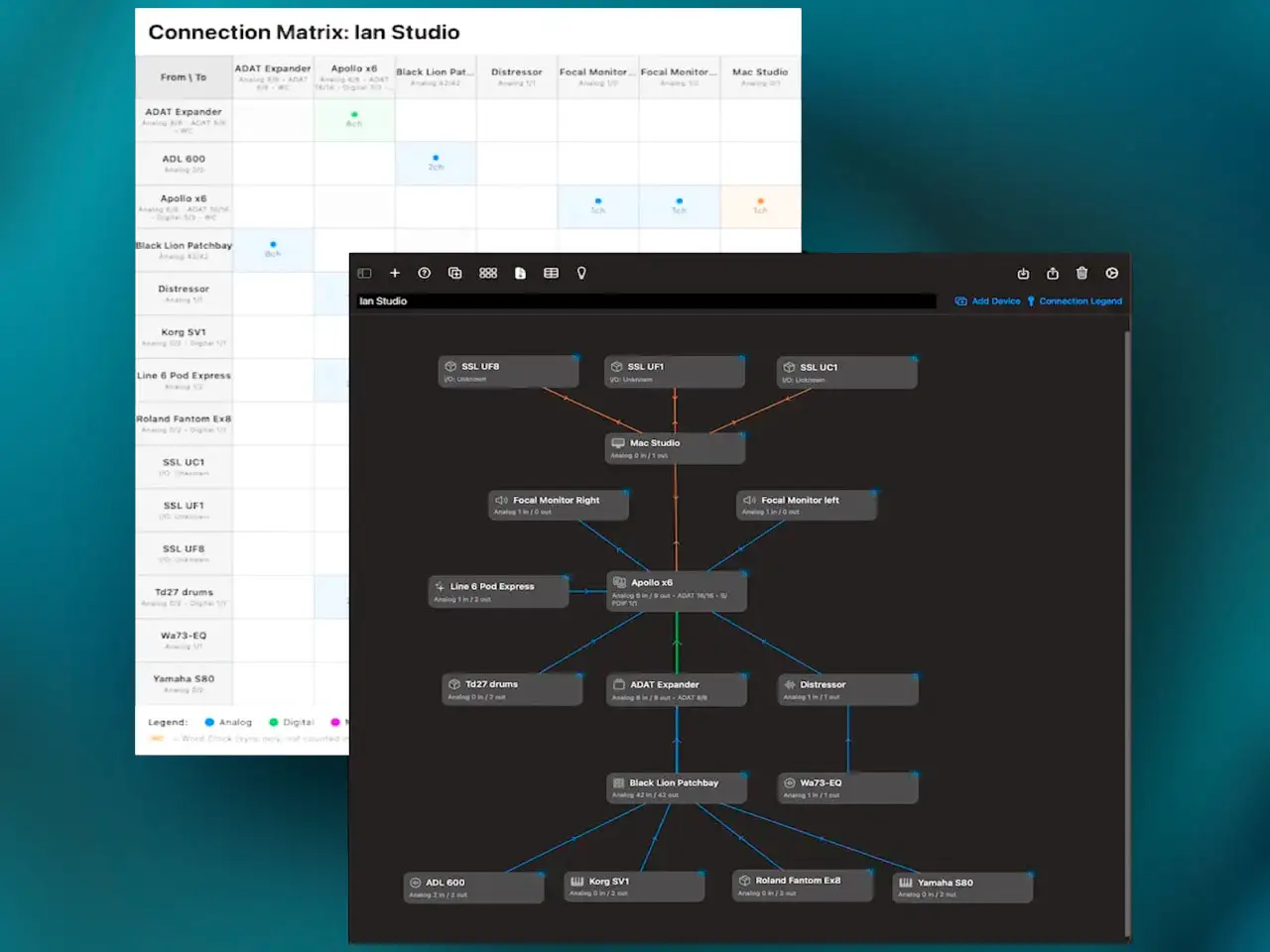
Studio Guru Pro addresses the specific need for professional studio documentation. Developer Ian Miller built a dedicated environment to visualize, manage, and track every connection in an audio facility. The core of the experience is the Visual Studio Canvas, where you drag and drop hardware units to create signal flow diagrams. This pairs with a Connection Matrix View — a spreadsheet-style interface for tracking every port and cable. The dual-view approach is useful when troubleshooting complex hybrid setups or explaining a room’s patchbay logic to new assistants. iCloud sync keeps documentation consistent between iPad at the tracking position and Mac at the mix desk.
Beyond routing diagrams, Studio Guru Pro works as a gear database. You store I/O counts, serial numbers, digital formats, and links to manuals and driver downloads for every piece of gear in your rack. Facilities with multiple setups — tracking room, mixing suite, live rig — can switch between saved configurations instantly. The Intelligent Auto-Arrange tool organizes devices based on signal flow logic, which reduces the time spent manually laying out complex chains. Export to Excel or PDF gives you printable documentation for client handoffs or insurance records.
Key features:
- Visual Studio Canvas: Drag-and-drop signal flow diagrams
- Connection Matrix View: Spreadsheet-style tracking of every port, cable, and connection
- Device Spec Tracking: Serial numbers, I/O counts, manual and driver links per device
- Multi-Configuration Support: Manage and switch between multiple room or rig setups
- iCloud Sync: Automatic sync between iPad and Mac
- Professional Export: Excel and PDF export for documentation and collaboration
- Intelligent Auto-Arrange: Signal-flow-aware automatic device layout
App price: $24.99. No in-app purchases.
Original release: April 13, 2026 | Latest update: April 2026


