
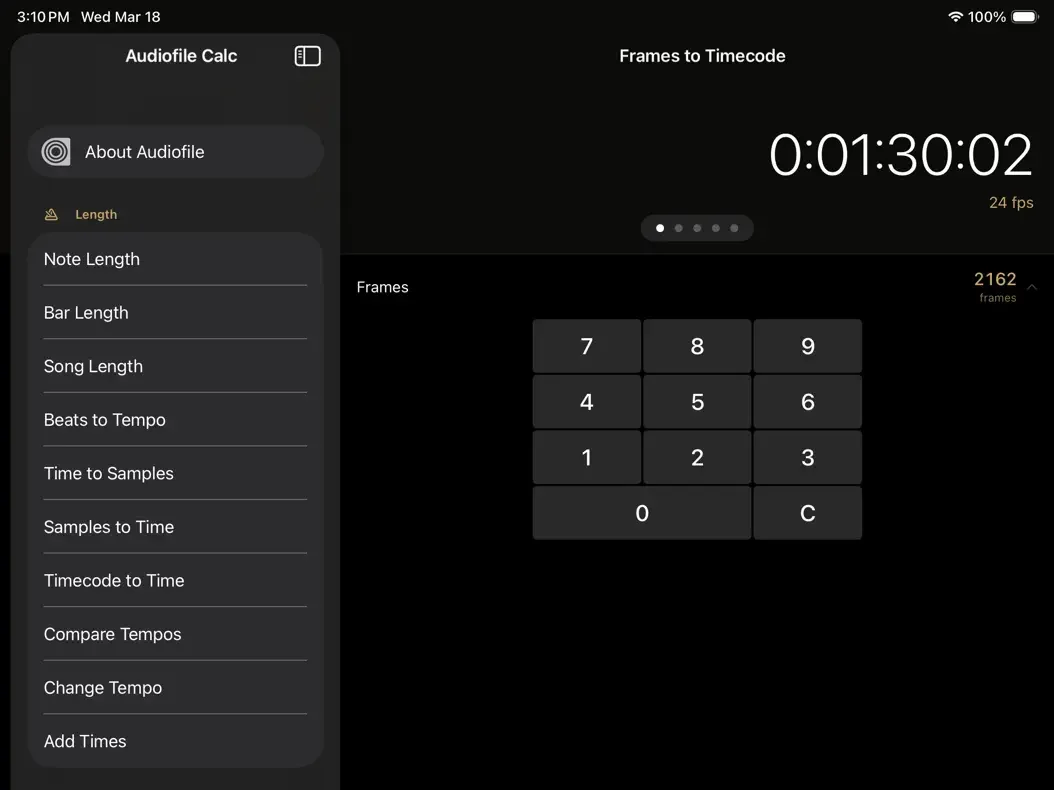
You open it and instantly calculate file sizes for different sample rates and bit depths, convert note lengths to samples, figure out tempo changes, or check how long a song will be at 120 BPM. The free tier covers the essentials most producers need, while the one-time $4.99 Pro upgrade adds LUFS targets for streaming platforms, Nyquist frequency calculations, equal-loudness compensation, and batch conversion that saves hours when prepping multiple stems. It runs natively on iPhone, iPad, and Mac (Apple Silicon) and works in Split View or Slide Over alongside your DAW.
For iPad music production, this app becomes one of those tools you open multiple times per session. You check how big your 24-bit export will be before uploading, calculate delay times in samples, or verify you hit Spotify’s loudness target without leaving your project. You type in the numbers and get the answer — faster than a spreadsheet, with none of the setup. The Pro tier’s PDF export is particularly handy when you need to hand calculations to clients or save them as session notes.
Key features include:
- Free calculators for file size, tempo, pitch, timecode, acoustics, and more
- Pro tier adds LUFS targets, Nyquist, equal-loudness, cable attenuation, and batch conversion
- Modern interface optimized for iPad Split View
- Export calculations as clean PDF for clients or notes
- Native on iPhone, iPad, and Mac
App price: Free.
In-app purchases: Audiofile Calc Pro — $4.99 one-time (unlocks advanced calculators and PDF export).
Original release: 2009 | Latest update: March 2026 (version 4.0)


