
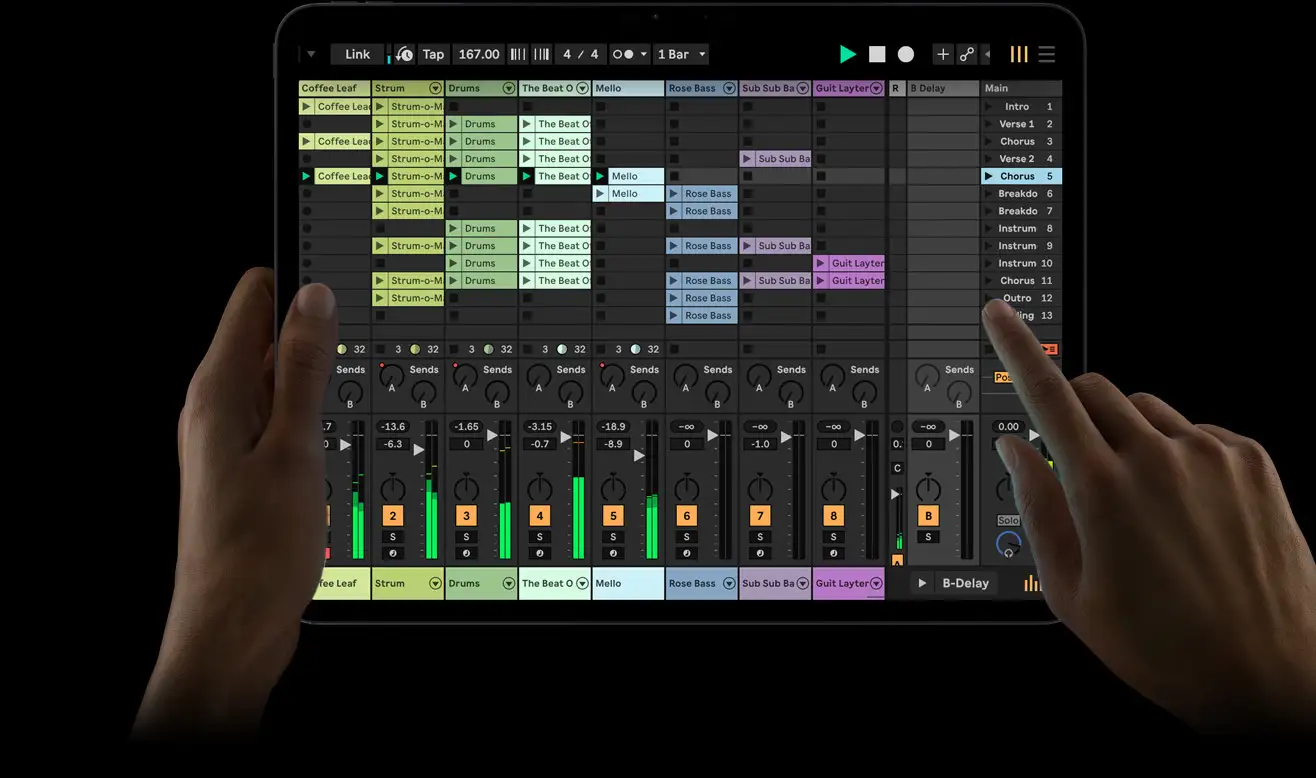
You open the app and your existing Live sets load instantly via Ableton Cloud. Every clip and automation lane transfers exactly as you left it on desktop, now controlled with multitouch gestures instead of a mouse.
Key features include:
- Full Session and Arrangement views redesigned for finger control with pinch-to-zoom timelines and drag-to-launch clips
- Native AUv3 host that loads any compatible plugin directly inside Live (you route them the same way you do in Logic Pro for iPad)
- Core Live 12 instruments and effects included in the basic version, with additional instruments, effects and sound libraries available as in-app purchases
- MPE and push-style pressure sensitivity on supported iPad displays and Apple Pencil
- Full cloud sync of sessions via the new Ableton Cloud service
- Wireless Link sync across multiple iPads and desktop Live sessions
The development team spent two years rewriting the core audio engine to run efficiently on Apple silicon while preserving 32-bit float processing and low-latency monitoring. You launch a set on stage, drop in a third-party AUv3 granular synth, and perform without ever leaving Live. Early testers report the workflow feels faster than desktop for live jamming yet retains the depth needed for studio finishing.
Ableton built the interface from the ground up for iPad. You swipe to duplicate clips, two-finger tap to freeze tracks, and use the side panel for quick device browsing. The app runs standalone on iPad and doubles as an AUv3 host for other iOS DAWs.
The full version arrives this summer. You can pre-order the basic version for $49.99. Additional instruments, effects and sound libraries unlock via in-app purchases.
Original release announcement: April 1, 2026


Leave a Reply