
Welcome to the definitive iMusicNews FAQ on iPad and iPhone music production. Whether you’re building your first mobile music studio, searching for the best iOS DAW, or troubleshooting your setup, this guide answers the most searched questions about making music on Apple devices.
Start by downloading GarageBand from the App Store. It includes virtual instruments, loops, MIDI support, and multitrack recording. Begin with simple beat-making projects, experiment with track layering, and export your work to iCloud for sharing or backup.
For beginners, GarageBand remains the best free entry point.
For advanced users:
- Logic Pro for iPad – Professional subscription DAW
- Cubasis – Traditional desktop-style workflow
- Auria Pro – Deep mixing and mastering tools
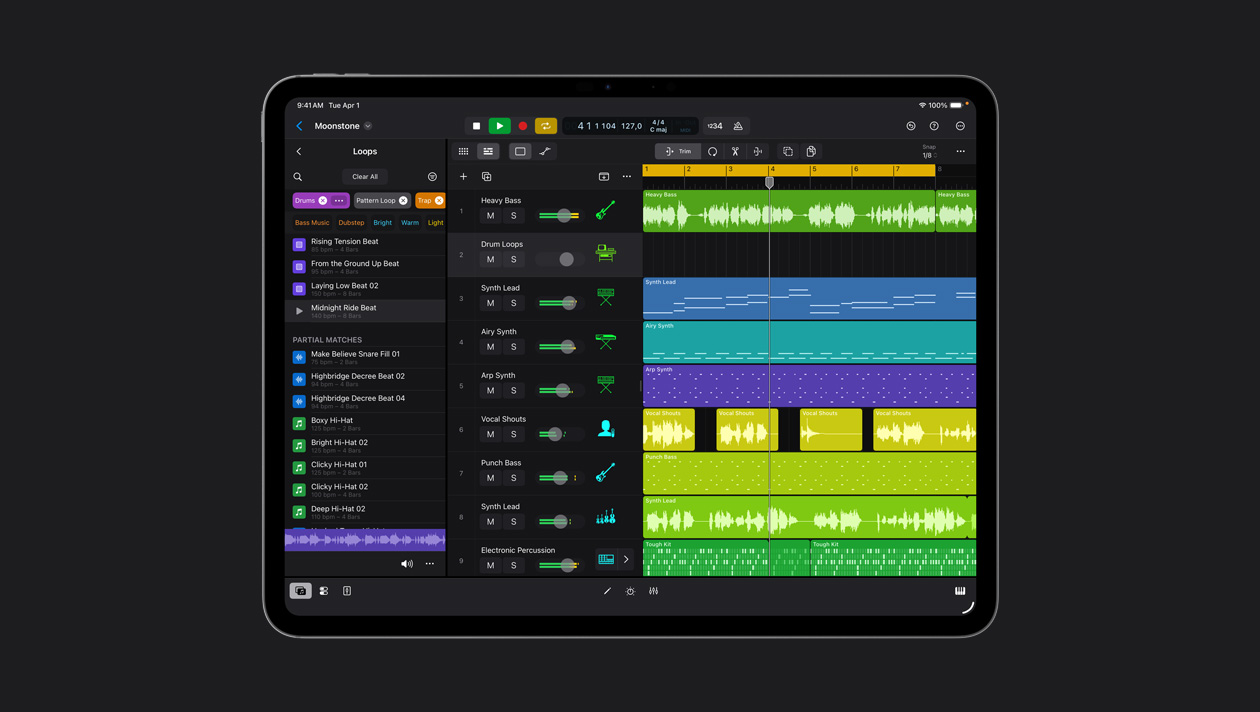
Yes. Modern Apple Silicon iPads handle large multitrack sessions with AUv3 plugins and effects. With enough storage and a USB-C hub for connectivity, an iPad can rival computer setups.
Yes — especially for songwriting, beat-making, and vocal recording. Apps like GarageBand support 24-bit recording with external audio interfaces.
You can start with just the built in speaker and built microphone, or a pair of bluetooth headphones, like the AirPods. But for more serious work essential gear includes:
- USB-C audio interface
- Headphones or monitors
- Optional: MIDI keyboard and microphone
Click here for a list of hardware that works best with iPad an iPhone.
Most modern interfaces are class-compliant. Connect via USB-C (or Lightning adapter), then select the interface in your DAW’s audio settings. Adjust buffer size (128–256 samples) to reduce latency.
Yes. USB-C controllers connect directly. Bluetooth MIDI is also supported. Popular controllers from Akai Professional and Arturia integrate easily.
Click here for a list of recommended MIDI keyboards and MIDI controllers.
Pair Bluetooth devices in Settings, or connect via USB adapter. Inside your DAW, enable MIDI input and map controls. Dedicated routing apps can expand control options for complex setups.
AUv3 (Audio Unit v3) plugins are Apple’s native iOS plugin format. They allow synths and effects to run inside DAWs like Logic Pro for iPad and Cubasis — similar to VST plugins on desktop.
Yes. AUv3 plugins work universally across iOS and iPadOS in compatible host apps. Some of them even work on Macs with Apple Silicone.
Core tools include:
- GarageBand – Free DAW
- AUM – Virtual mixer / AUv3 host and more
- Loopy Pro – flexible, and intuitive live looper, sampler, and DAW
- Drambo – Modular environment
- Korg Gadget – Synth workstation
Yes. GarageBand is free. Other free or freemium options include BandLab and limited versions of various AUv3 plugins.
Click here to view our list.
For many creators, yes. It supports MIDI editing, automation, amp sims, and project export to Logic Pro.
Create a new Audio Recorder track, connect a microphone via interface, set input levels carefully, and press record. Use multitrack layering for vocals and instruments.
iPads with the latest Apple Silicon chips (M4 or M5) deliver the best performance for heavy AUv3 sessions and mixing.
It depends, if you will primary work with virtual synthesizers / samplers you can get away with 64GB, but if you plan to record audio 128GB is usable. 256GB or more is recommended. You can always transfer large audio files to external SSD storage.
For many musicians, yes. For others, it complements a desktop setup. Workflow preference plays a major role.
iPad offers portability and touch control. Laptops offer broader plugin ecosystems. Many producers use both.
Yes. Use iCloud Drive, AirDrop, Dropbox, or export stems. Logic Pro for iPad supports direct compatibility with macOS Logic projects.
Yes. Export your track and distribute via services like DistroKid or TuneCore.
Bluetooth headphones are easiest to connect, since modern iPads and iPhones don’t have a headphone jack. But good studio headphones can be easily connected with the cheap Apple USB to Headphones adapter.
Yes. Connect powered monitors via an audio interface for proper gain control and balanced outputs.
Common issues include:
- Latency (adjust buffer size)
- Audio dropouts (close background apps)
- MIDI disconnects (re-pair devices)
Wired connections are generally more stable than Bluetooth.
Lower the buffer size in your DAW’s audio settings and use wired connections whenever possible.
Yes. Apps like FL Studio Mobile and GarageBand are optimized for touch-based beat making.
Yes. USB-C iPads support external SSD drives for sample libraries and project backups.
Note that not all apps support recording and playback from external storage.
Logic Pro for iPad offers many desktop features in a touch-optimized interface, with the January 2026 update adding AI-driven tools like enhanced stem splitting and MIDI enhancements, though some advanced automation tools remain desktop-only.
Yes. With quality headphones or monitors and professional AUv3 plugins, full mixing and mastering is possible on iPad. For example Fabfilter plugins used by many mastering engineers are available on iPad.
For portability, affordability, and creative flexibility — absolutely. iPad and iPhone music production has matured into a legitimate, professional ecosystem suitable for beginners and working musicians alike.