
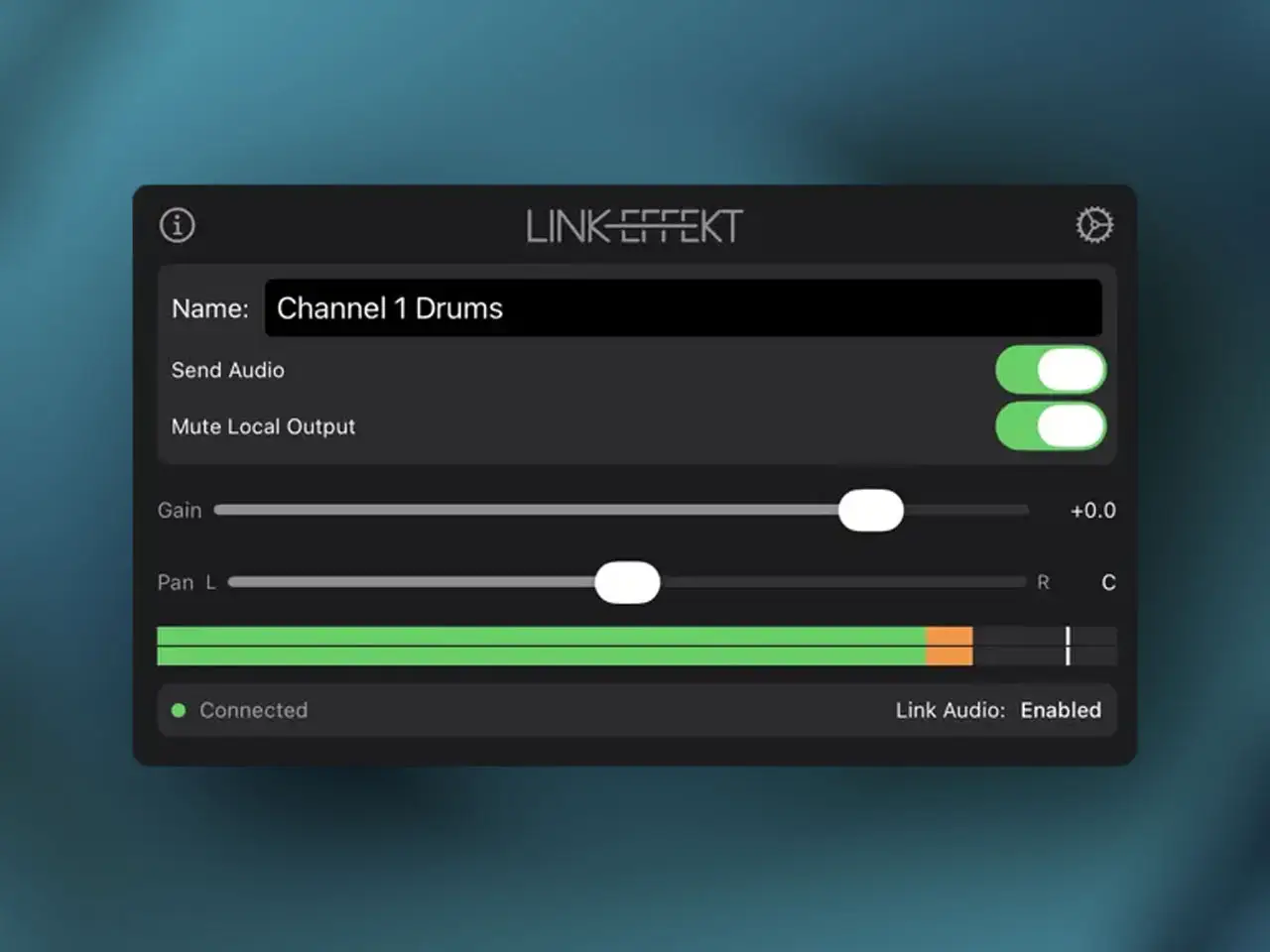
Getting iOS audio into Ableton Live has always involved a compromise. Either you run a physical audio interface between devices, deal with Inter-App Audio workarounds that have been deprecated for years, or accept that the two setups stay separate. LinkEffekt by axens takes a different approach: it uses Ableton’s own Link Audio protocol to stream stereo audio wirelessly from any AUv3 host directly into Live, with each plugin instance appearing as a named input channel inside Ableton’s track Input Chooser.
The workflow is straightforward. Drop LinkEffekt as an insert effect on any track in your iOS host — AUM, Loopy Pro, Drambo, Cubasis, or Logic Pro for iPad — give the instance a name, and it appears in Ableton Live 12.4+ as a discrete stereo input on that same local network. Because it operates as an AUv3 effect rather than relying on the host app implementing Link Audio natively, it works in any compatible host immediately without waiting for app-level support. Run multiple instances across different tracks and each one shows up as a separate channel in Live — iOS synths, drum machines, and live loopers can each land on their own Ableton track for individual processing and arrangement.
The plugin includes a Local Output Mute toggle — on by default — which silences playback on the iOS device so you only monitor audio returning from Ableton rather than hearing both sources simultaneously. A ±100ms timing offset compensates for network jitter and keeps the stream aligned to your Live session. Gain and Pan controls adjust the stream before it hits Ableton, and both are automatable from your iOS host’s sequencer alongside the mute. The mute itself uses smooth ramping to prevent clicks during live recording. All these controls live in the plugin UI without requiring a companion app or additional configuration step. The first channel is completely free with no limitations. A one-time in-app purchase unlocks unlimited simultaneous channels. LinkEffekt runs on iPhone, iPad, and Mac via Catalyst. Both devices must be on the same local Wi-Fi or Ethernet network, and Ableton Live 12.4 or later is required on the desktop side.
Key features:
- Wireless iOS-to-Ableton Audio Streaming: Streams stereo audio from any AUv3 host track directly into Ableton Live 12.4+ via Link Audio — no cables, no audio interface
- Multiple Independent Channels: Each plugin instance is a separate named input in Live’s Input Chooser — send different synths or tracks to individual Ableton channels simultaneously
- Host-Agnostic AUv3 Design: Works in any AUv3-compatible host without that host needing native Link Audio support
- Local Output Mute: Silences iOS playback while streaming to Ableton — prevents double monitoring; on by default, click-free via smooth ramping
- ±100ms Timing Offset: Per-instance compensation for network jitter to align the stream precisely with your Live session
- Gain and Pan: Adjust stream level and stereo position before it reaches Ableton — both fully automatable from your iOS host
- Channel Naming: Name each instance directly in the plugin UI — names appear exactly as set inside Ableton’s Input Chooser
- Universal: iPhone, iPad, and Mac (Catalyst) — requires Ableton Live 12.4+ and both devices on the same local Wi-Fi or Ethernet network
App price: Free (first channel, no limitations).
In-app purchases: $6.99 – Unlimited Channels — one-time purchase (check App Store for price) unlocks unlimited simultaneous streams.
Original release: May 6, 2026 | Latest update: May 9, 2026


