
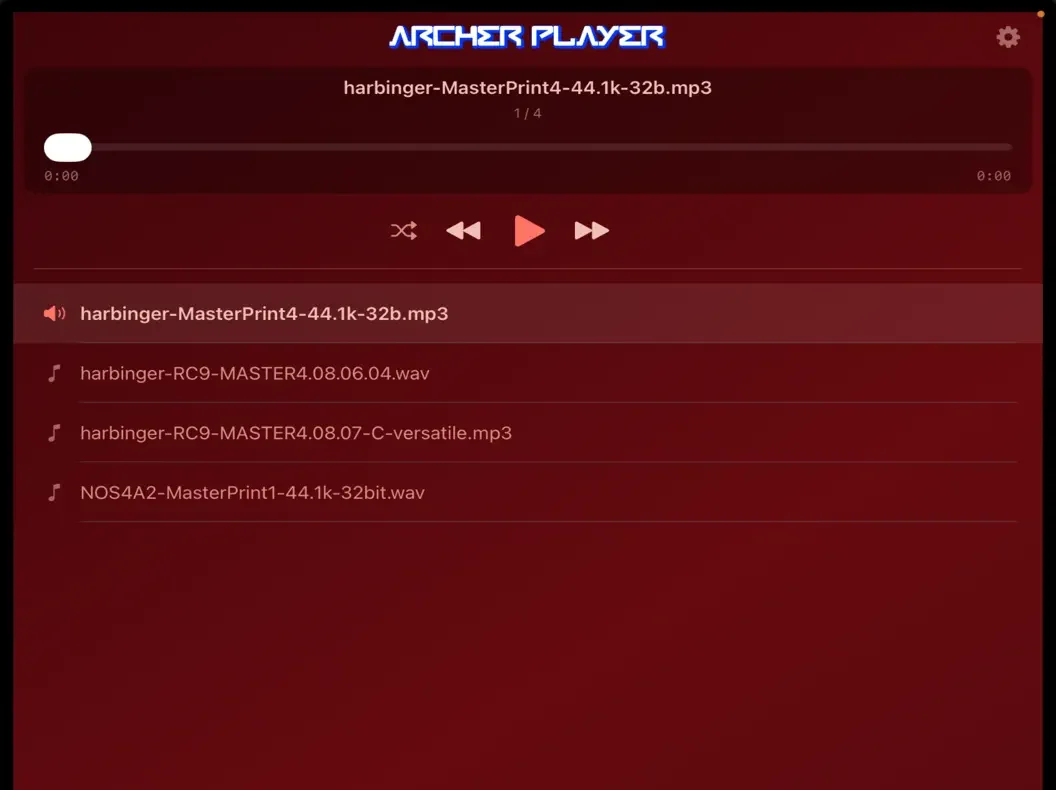
The v1.2 update makes the plugin compatible with a wider range of hosts (including AUM, GarageBand, and other DAWs that route MIDI to instrument tracks). You can now map MIDI Note On or CC messages to Play/Pause, Next/Previous Track, Loop Toggle, and Shuffle, with MIDI Learn mode and global persistence of mappings. Playlists can now be saved and loaded independently, with a dirty indicator and swipe-to-delete support.
What’s new in v1.2:
- Audio unit type changed from Generator to MusicDevice for wider host compatibility
- Full MIDI remote control for transport functions (Play/Pause, Next/Previous, Loop Toggle, Shuffle)
- MIDI Learn mode with global persistence of mappings
- Save and load independent named playlists with dirty indicator and swipe-to-delete
ArchersPlayer simplifies music practice by allowing users to loop specific parts of tracks, adjust playback speed, and change pitch without altering tempo, making it a useful tool for musicians in iPad music production. It ArchersPlayer functions as an AUv3 plugin (instrument/effect) in compatible hosts like AUM, GarageBand, or Logic Pro for iPad, as well as standalone. It supports loading audio files from the Files app or music library, creating playlists, and looping sections with precise start/end markers. Speed control ranges from 0.5x to 2x, pitch shift ±12 semitones (independent of tempo), and basic transport controls make it ideal for ear training, song learning, or slow practice without altering the original key or feel.
The app’s clean, minimal interface prioritizes functionality over visuals, with timeline scrubbing, marker management, and playlist navigation. While it lacks advanced features like AUv3 MIDI routing or MacOS-specific optimizations (though universal for Apple Silicon Macs), it excels as a lightweight utility in iOS music production workflows. It complements DAWs by handling reference tracks or practice material, helping users in how to make music on iPad through focused transcription and repetition.
Key features include:
- AUv3 plugin (instrument/effect) and standalone mode on iPhone, iPad, Mac (Apple Silicon)
- Import audio files from Files app or music library
- Playlist creation and management for multiple tracks
- Loop sections with adjustable start/end points and timeline scrubbing
- Speed control (0.5x to 2x) independent of pitch
- Pitch shift (±12 semitones) independent of tempo
- Basic transport controls: play/pause, seek, marker placement
- Simple, focused interface for practice and transcription
App price: Free.


Leave a Reply