
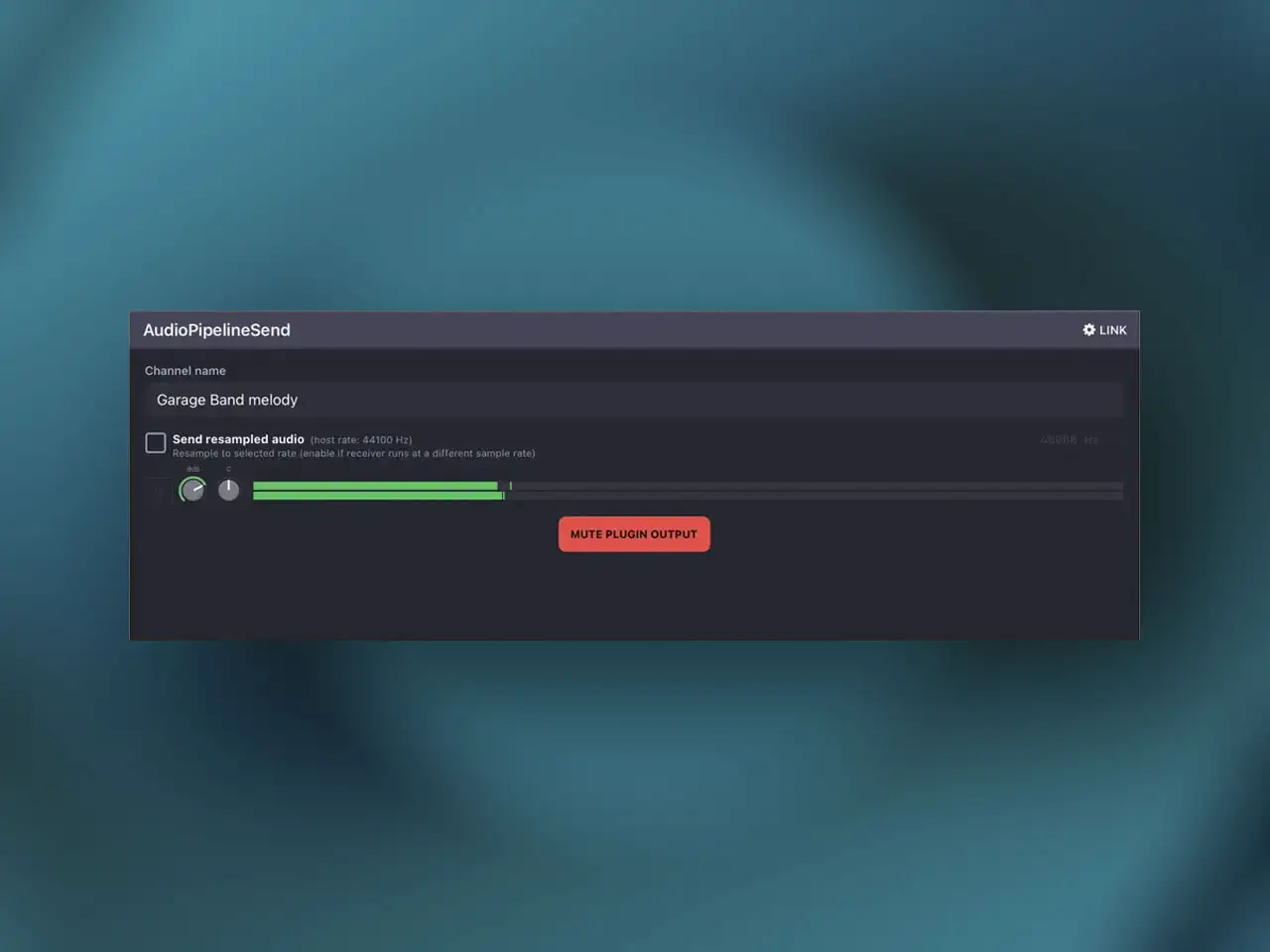
Community developer Marek Dendeš (known in the Loopy Pro forum as “dendy”) has released AudioPipeline, a free AUv3 plugin that does something no iOS plugin has done before: it receives Ableton Link Audio. This closes a gap that has existed since Ableton introduced Link Audio — the protocol could send audio from iOS apps to Ableton Live, but there was no way to receive audio back from Live into an iOS host, and no way to route Link Audio streams between iOS apps using a proper plugin insert. AudioPipeline handles both directions and is completely free with no in-app purchases and no channel limits. The release went through TestFlight beta starting May 6 and reached the App Store shortly after.
Why This Took a Special License From Ableton
Here’s the technical background that makes AudioPipeline unusual. Ableton maintains two separate SDKs for Link integration: the iOS LinkKit, which only supports sending audio, and the desktop C++ SDK, which supports both send and receive. The desktop SDK uses a GPL license that Ableton explicitly states should not be used for iOS App Store submissions because of licensing incompatibility. Dendeš built AudioPipeline using the desktop SDK to get Receive functionality — the iOS SDK simply can’t do it — then went directly to Ableton and secured a specific license exception for the App Store release. That’s not a workaround; it’s the only technically correct path to building a Receive-capable Link Audio plugin on iOS right now, and it required Ableton’s explicit approval.
The practical implication for producers: AudioPipeline is the real thing, not a hack. It’s built on the same Ableton SDK that desktop plugins use for Link Audio, with Ableton’s endorsement. That matters for long-term stability — this isn’t going to break the next time Ableton updates Link Audio because it’s already running on the desktop SDK they control.
What AudioPipeline Actually Does
The plugin ships in two variants — Instrument and Effect — which are tactically different depending on your host workflow. Both handle the same core function: pulling Link Audio streams into your iOS session and routing them with professional flexibility.
The Instrument variant is the standard choice for most AUv3 host setups. Load it into an instrument track in AUM or Loopy Pro and the incoming Link Audio stream appears as an audio source on that track, ready for further processing through whatever FX chain you want to apply. The Effect variant serves a different purpose: load it as an effect insert in Cubasis or Logic Pro for iPad and you can record incoming Link Audio directly onto an audio track in real time. That’s the workflow that previously required a physical audio interface cable between devices, or complex workarounds involving screen recording and audio extraction. Now it’s a standard insert.
Up to eight discrete AUv3 output busses let you route multiple incoming Link Audio streams to separate destinations in the host — different FX chains, different mixer channels, different recording tracks. You name each channel instance in the plugin UI and the name carries through to whatever host sees it, making multi-source sessions readable rather than a wall of identical plugin instances. Gain and Mute on both Send and Receive sides are fully automatable from the host.
Real Workflows, Confirmed by the Community
The Loopy Pro forum thread that preceded the release accumulated real workflow reports from beta testers, which are worth summarizing because they show what the plugin is actually good for. One user described piping synths from iOS apps — Chiangmi triggered by Riffer, Laplace for bass — directly into Ableton Live via AudioPipeline, then doing arrangement and editing work in Live on the captured audio. Another user ran GarageBand as a source into Loopy Pro as a receiver successfully. Latency on the same device was described as similar to the existing LoopBack plugin. Across-device streaming worked between iPads and from iPad to a Mac running Ableton Live 12.4+.
One practical note from beta testing: sample rates between sender and receiver need to match. Users reported crackles when AUM and Ableton Live were running at different sample rates — changing the rates to match resolved it. That’s expected behavior for any network audio protocol and worth checking before a session. Also confirmed: the channel name display was hard to read in apeMatrix but worked correctly in AUM — a minor UI note that may be resolved in future updates.
The Ableton Move Bug
AudioPipeline does not currently receive audio from Ableton Move. Dendeš identified this as likely a bug within the Ableton SDK itself rather than AudioPipeline, and confirmed he is in direct communication with Ableton about it. Move users should watch for updates. Every other Link Audio source tested in beta — Ableton Live on Mac, iOS apps running Link — worked correctly.
The Bigger Picture: Link Audio on iOS Finally Has Legs
AudioPipeline sits alongside LinkEffekt by axens, which we covered recently and which handles the send direction from iOS into Ableton Live. Between the two, you now have a complete bidirectional Link Audio infrastructure on iOS: LinkEffekt for sending iOS tracks out to Live’s input chooser, AudioPipeline for receiving audio back into iOS hosts and routing it with professional flexibility. Neither app existed six months ago. The fact that both are free, community-built, and Ableton-licensed is remarkable. What’s been a cable-and-interface problem for hybrid iPad/desktop setups for years now has a proper software solution — and it didn’t come from Ableton or any major developer. It came from the iOS music production community building it themselves.
Key features:
- Link Audio Receive (First iOS AUv3): Receives Ableton Link Audio streams into iOS — built on the desktop C++ SDK with official Ableton license
- Link Audio Send: Sends audio from iOS to Ableton Live or other Link Audio-capable destinations over the local network
- Two AUv3 Variants: Instrument (for AUM, Loopy Pro, and standard instrument track hosts) and Effect (for Logic Pro for iPad and Cubasis to record directly onto audio tracks)
- Up to 8 Discrete AUv3 Output Busses: Route multiple incoming streams to separate FX chains, mixer channels, or recording tracks within the host
- Named Channels: Name each plugin instance in the UI — the name carries through to the host for readable multi-source sessions
- Automatable Gain and Mute: Both Send and Receive sides expose Gain and Mute to host automation
- Built-in Simple Mixer: Balance multiple incoming Link Audio sources before they reach the host master bus
- Silicon Mac Support: Available on Apple Silicon Macs via “Made for iPad” compatibility — developer notes Mac functionality is as-is, not an intentional port
- 100% free — no in-app purchases, no channel limits, no limitations of any kind
- Requires Ableton Live 12.4+ for cross-device Ableton integration; Link Audio-capable iOS apps for on-device and cross-device iOS routing
App price: Free. No in-app purchases. No channel limits.
Original release: May 2026 (TestFlight May 6) | Latest update: May 2026


Leave a Reply