
The v1.1 update resolves import bugs on iOS devices, introduces asynchronous file handling with waiting screens, enables mic input addition to outputs, and supports SoundFont (SF2) imports for expanded sound libraries.
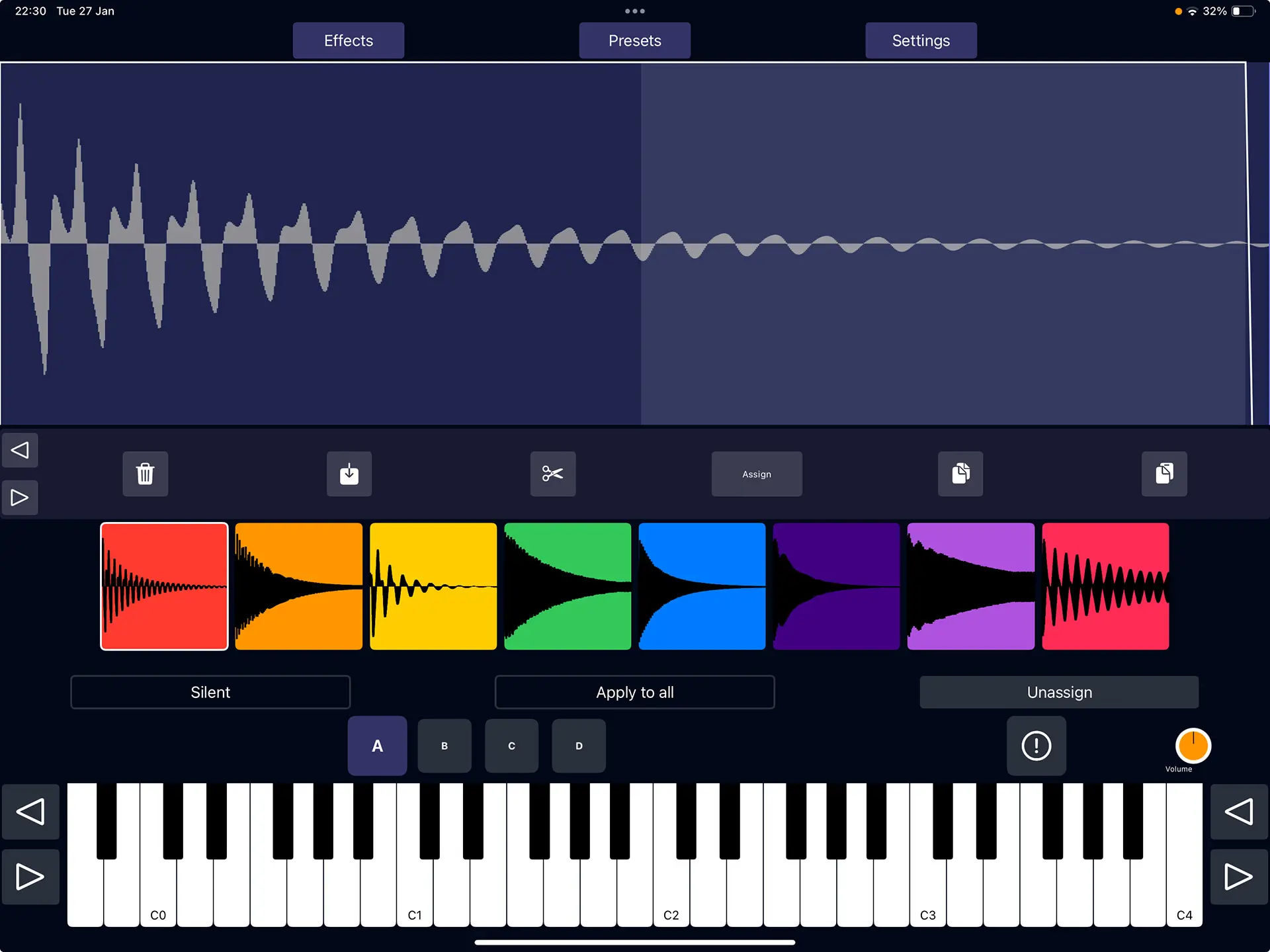
jAmpler provides four banks, each containing eight color-coded samples, allowing users to record audio directly via the device’s microphone or import files for assignment to keyboard keys. Each sample features detailed controls including trimming, ADSR envelope shaping, crossfade looping, octave shifting, drive/distortion, filtering, pitch shifting, and granular parameters such as density, size, spray, stereo spread, and window shape. This setup enables creative sound design suitable for music production on mobile devices.
Global effects enhance the overall sound with a velocity-controlled filter, low-frequency oscillator, compressor, distortion, equalizer, chorus, cabinet simulation, and reverb, all adjustable for polished results. Additional tools include a customizable velocity curve and keyboard temperament options, making it versatile for various musical styles. As an AUv3 plugin, it integrates seamlessly into host DAWs, focusing on efficient workflows for producers.
Key features include:
- Sample import from WAV and SF2 formats
- Mic recording and input mixing
- Granular synthesis for texture creation
- ADSR envelopes and effects chain
- AUv3 compatibility for instrument hosting
- Preset management and automation support
Compatible with both iPhone and iPad, though optimized for iPad’s larger screen, jAmpler functions as an AUv3 plugin that integrates into host DAWs. The AUv3 is universal and extends to macOS without requiring a separate purchase, supporting seamless cross-device projects in iOS music production environments.
App price: Free.
In app purchases: Activation $7.99


Leave a Reply