
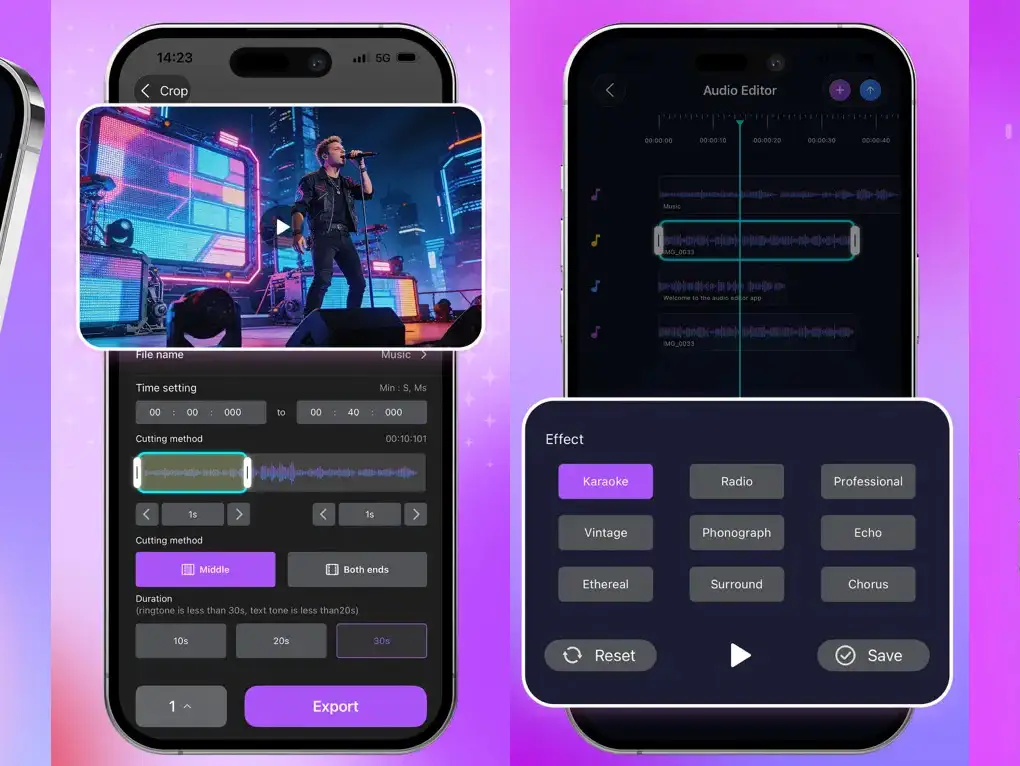
ReAudio transforms your iPhone into a portable audio studio with immersive Dark Mode and Neon Waveforms, offering multitrack layering, timeline precision (split, cut, duplicate at sample level), and effects like spatial reverb, 10-band EQ, pitch/speed adjustments, and denoise. It’s tailored for podcasters, musicians, and content creators seeking quick edits on the go, though limited to iPhone without iPad or MacOS support. As a standalone app, it doesn’t integrate as an AUv3 plugin, focusing instead on file-based workflows with lossless export in MP3, WAV, or M4A formats.
The app’s visual flair adds a fun element to editing, with waveform previews in the library for easy navigation. While not optimized for complex iPad music production, it serves well for iPhone beat making or mobile mixing, complementing larger setups by handling basic tasks like extracting audio from videos or boosting volume. Its free nature makes it accessible, though the Cyberpunk theme may not appeal to all users preferring traditional interfaces.
ReAudio stands out for casual creators in the best iOS music apps category, providing professional tools in a compact form. For how to make music on iPhone, it’s a solid starting point for editing demos or social media content without in-app purchases.
Key features include:
- Multitrack editor with visual timeline and sample-level precision (split, cut, duplicate)
- Creative toolkit: spatial reverb (room/hall/cathedral), 10-band EQ, pitch/speed adjustment, denoise
- Instant ringtone maker: extract from videos, create custom tones/alarms
- Lossless export in MP3, WAV, M4A formats
- File management with visual library and waveform previews
- Cyberpunk Dark Mode with high-contrast Neon Waveforms
App price: Free.


Leave a Reply