
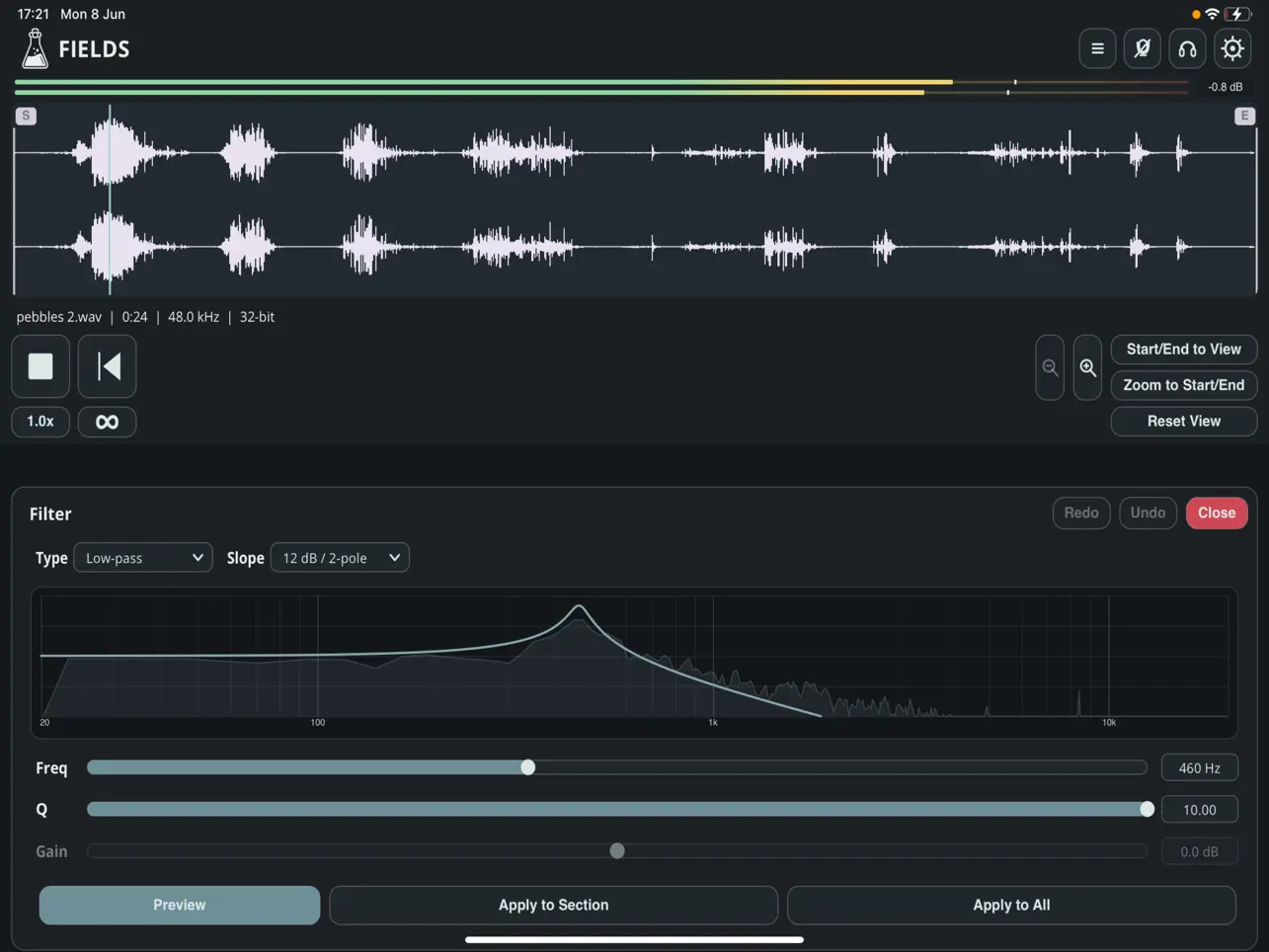
AudioThing has branched out from its traditional lineup of creative AUv3 effects and virtual instruments to release Fields – Audio Recorder. Marking the developer’s first iOS-only utility application, this standalone mobile field recording ecosystem is engineered explicitly for iPhone, iPad, and Apple Vision Pro, offering an all-in-one environment to capture, manage, and process found sounds without relying on specialized external hardware or clunky desktop file management.
The app converts mobile devices into dedicated field recording units, addressing the workflow needs of sound designers, sample collectors, and electronic music producers. Users can record immediately using their device’s built-in microphone array or scale up to high-definition multi-channel capture by connecting class-compliant external USB-C audio interfaces. A vital feature for transient ambient events is the integrated pre-roll buffer, which continuously caches incoming audio so that sounds occurring moments before the user hits the record button are safely retained. Every captured asset can be enhanced with rich contextual metadata, including customized notes, image attachments, and automatic geographic coordinates that pin your recordings to an interactive, built-in map.
Beyond basic ingestion, Fields incorporates a surprisingly extensive suite of built-in DSP editing tools. Rather than requiring users to export raw files to an external editor for simple corrective tasks, the app natively executes operations such as trimming silence, cropping, reversing waveforms, applying gain normalization, and performing pitch or speed adjustments. It also includes dedicated filtering options and a noise reduction algorithm designed to clean up ambient wind or background hiss. True to AudioThing’s user-first philosophy, the application operates entirely localized: there are no user accounts to create, no social data streams, and zero advertising or analytics trackers, allowing users to choose transparently between isolated local device storage or seamless iCloud backup.
When integrated into a broader mobile workflow, Fields functions as a highly efficient asset-ingestion pipeline. Its background synchronization across iCloud allows a producer to comfortably capture samples on an iPhone while outside, only to have the files instantly populate the sidebar library of the app on their iPad Pro back in the studio. However, users should keep in mind that Fields is strictly a standalone utility app rather than an AUv3 processor; it cannot be instantiated as an inline filter or sampler within hosts like Loopy Pro or AUM. It serves as an initialization point for sound collection, meaning your finalized clips must be exported via the iOS Share Sheet or Files app to be utilized inside your DAW of choice.
Key Features:
- Adaptive Signal Capture: Supports high-fidelity tracking via standard integrated microphones or multi-channel external class-compliant USB-C audio interfaces.
- Pre-Roll Audio Buffering: Continuously caches background audio to prevent missing spontaneous or unexpected sonic events before hitting record.
- Geotagging & Visual Metadata: Automatically logs GPS telemetry data onto an interactive internal map, alongside options for custom text notes and photo attachments.
- Integrated Audio Editor: Contains direct destructive and non-destructive editing utilities, including crop, reverse, normalization, pitch-shifting, speed changes, and fading.
- On-Board Noise Reduction: Features tailored frequency filters and noise mitigation tools to isolate and clean up ambient environmental clutter on location.
- Privacy-First Syncing: Contains no embedded analytics or user accounts, utilizing a clean structure split between local folder arrays or automatic iCloud Drive syncing.
App price: $7.99. No in-app purchases.
Original release: June 12, 2026 | Latest update: June 13, 2026


Leave a Reply