
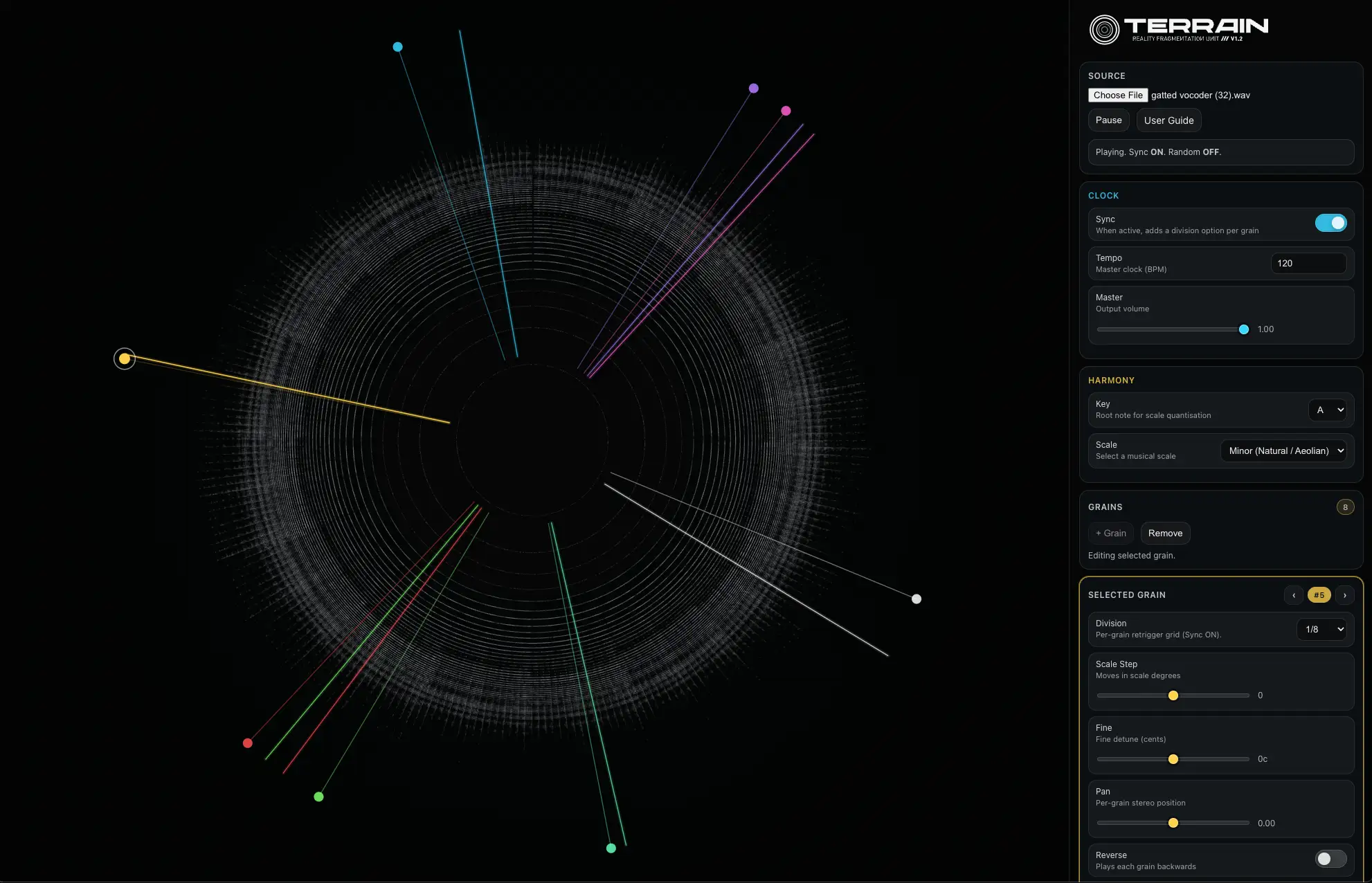
Terrain turns any uploaded audio file into a visual ring where time loops circularly and frequencies radiate from low (center) to high (outer edge). Users place up to eight “grains” on the ring to trigger fragments, dragging them to shift positions while parameters like pitch, pan, length, gain, filter, and modulation evolve sounds into rhythms or textures. Features like drifting, randomization, reversal, and rhythmic pulsing add dynamic movement, making it a tool for experimental producers exploring granular synthesis without software installs.
As a webapp, Terrain runs entirely in the browser (Safari recommended for iPad), requiring no downloads or signups—simply upload a sample and start fragmenting. While not a native app, it works smoothly on iPad for mobile experimentation, though iPhone compatibility is limited by screen size. The lack of AUv3 or offline support keeps it casual, but its unique interface inspires quick ideas in iPad music production workflows, complementing DAWs like GarageBand for sound manipulation.
Terrain is an accessible entry into granular audio for iPad users, fostering creativity through visual interaction. It’s best for ambient or abstract explorations, though the web-based nature means internet access is needed for use.
Key features include:
- Circular spectrogram mapping with time as loop and frequency as radius
- Up to 8 simultaneous grains for triggering audio fragments
- Adjustable grain parameters: pitch, pan, length, gain, filtering, modulation
- Drifting, randomization, reversal, and rhythmic pulsing for dynamic patterns
- Upload any audio file for instant transformation
- Browser-based with no installation or sign-up required
App price: Free.


Leave a Reply