
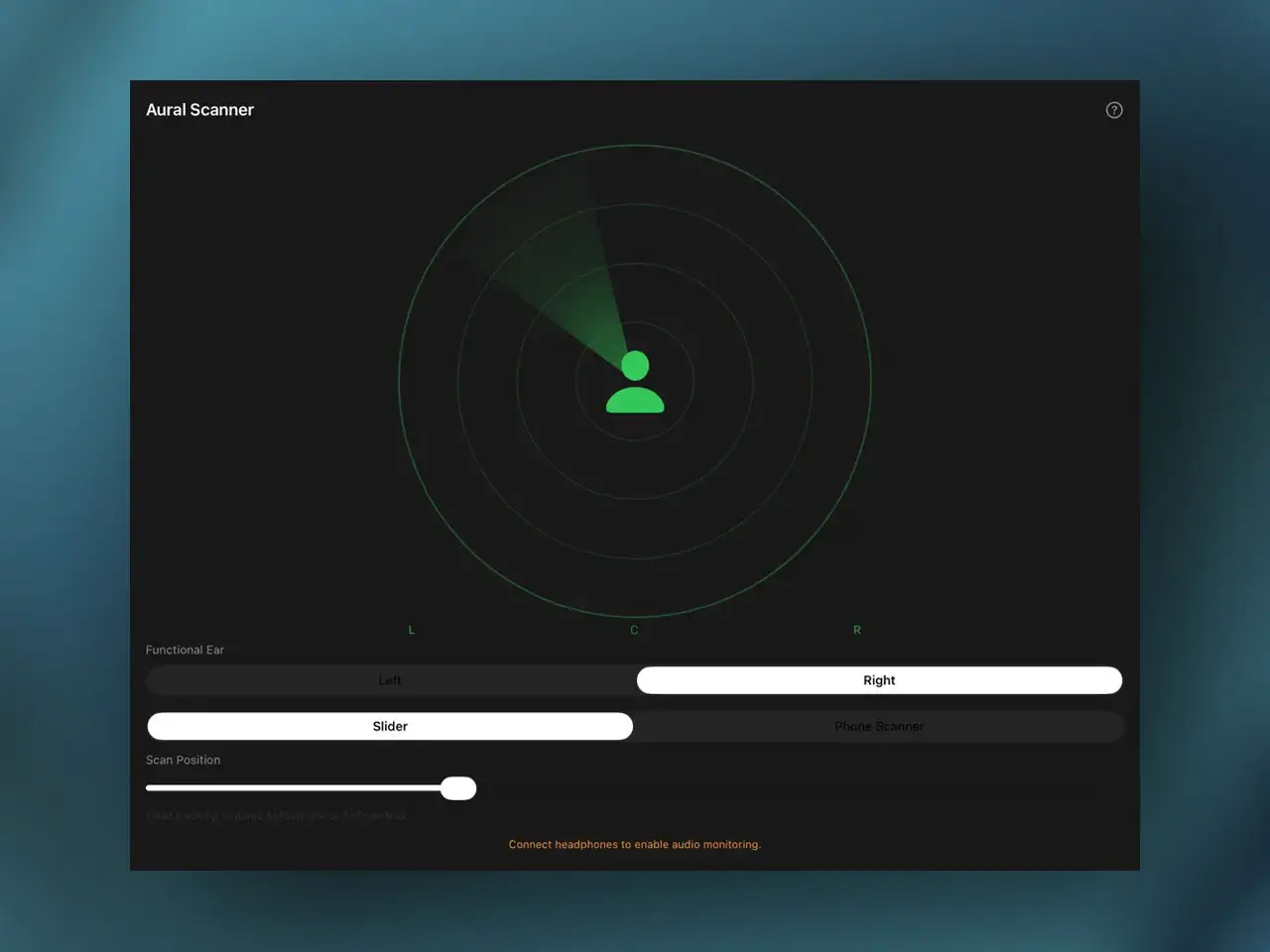
Aural Scanner is a new AUv3 effect built specifically for musicians, producers, and audio engineers with single-sided hearing (SSH) or unilateral deafness. It addresses a problem that has had no dedicated software solution on iOS until now: how to accurately evaluate a stereo mix when you can only hear through one ear. The plugin sits on the master output bus of any AUv3-compatible host and lets you dynamically scan across the stereo field using head tracking via AirPods or compatible earbuds, device motion through the iPhone or iPad’s internal gyroscope, or a manual touch slider — all routing the result into your functional ear in real time without collapsing the stereo image to mono.
Why Mono Fold-Down Isn’t the Answer
The standard workaround for mixing with single-sided hearing is to sum the stereo bus to mono. It works in the sense that you can now hear both channels, but it destroys most of what makes stereo monitoring useful. Phase relationships between left and right channels collapse — anything panned wide and processed with spatial effects like stereo delay or chorus will cancel, comb-filter, or mask in ways it won’t on a stereo playback system. Narrow-panned elements that were living at 9 o’clock and 3 o’clock now compete in the same frequency space and mask each other. The mix you hear in mono is not representative of how the mix will sound to listeners on headphones or stereo speakers, which means every panning decision you make is based on inaccurate reference information.
Frequently swapping headphone sides is the alternative, but it interrupts the listening flow constantly and still doesn’t let you hear both channels simultaneously — you’re comparing left and right at different points in time rather than evaluating how they interact. Aural Scanner solves this by keeping the stereo image intact and giving the listener a way to move through it dynamically, sweeping the stereo perspective across the one ear that can process it. Phase relationships remain intact because the stereo bus is never summed. You’re listening to a moving window across the original stereo field, not a degraded approximation of it.
Three Control Methods
The Head Tracking mode uses CoreMotion data from AirPods Pro, AirPods Max, or other head-tracking-compatible earbuds. As you turn your head left, the plugin sweeps the stereo monitoring focus toward the left channel — the spatial impression of what it would sound like to have your functioning ear on the left side of the stereo field. Turn right and the focus shifts to the right channel details. The movement is continuous and proportional to head rotation, which makes it feel like physically navigating the soundstage rather than switching between discrete positions. For a hands-free mixing session where you’re adjusting plugin parameters while monitoring, this mode keeps your hands on the controls while your head movement does the spatial navigation.
The Device Motion mode uses the iPhone or iPad’s internal gyroscope and accelerometer. Tilting or pivoting the device steers the stereo focus in the same way as head tracking — useful if you’re monitoring through a studio speaker rather than head-tracking earbuds, or if you want to use the physical device as a kind of spatial controller without accessory hardware. The Manual Slider gives you a static touch control to park the monitoring focus at a specific point in the stereo image or to sweep smoothly across it, which is the right approach when you want to A/B test a specific panning decision by holding the focus at two positions in sequence rather than moving continuously through the field.
DAW Integration and Practical Setup
Insert Aural Scanner as the final `aufx` in the master output chain or monitor bus in AUM, Loopy Pro, Cubasis, or Logic Pro for iPad. The plugin needs to sit after all mix processing and before the monitoring output so it intercepts the fully mixed stereo signal. Host applications save and recall the scanning preferences, calibration center position, and user configurations alongside the project file — you don’t need to reconfigure the plugin each time you open a session.
The plugin accepts stereo input and outputs to a mono or stereo target depending on your monitoring configuration. Sample rate and channel layout are handled automatically. The standalone mode registers the plugin with iOS so it appears in host apps — the actual mixing work happens inside your host of choice rather than in the standalone app itself.
A Niche Worth Covering
Accessibility tools for music producers have historically been an afterthought in software development. There are no other iOS AUv3 plugins specifically designed for single-sided hearing monitoring that we’re aware of. The desktop space has some specialized tools, but nothing that integrates with iOS host routing and takes advantage of iPhone/iPad-specific hardware like CoreMotion sensors and AirPods head tracking data. The fact that this approach is now available as an AUv3 plugin — which means it works inside any iOS host that supports the format, without requiring specialized hardware beyond what many iOS producers already own — makes it a meaningful addition to the ecosystem. If you know a producer or engineer with SSH who has been working around stereo monitoring through mono fold-down, this is worth bringing to their attention directly.
Key features:
- Dynamic Stereo Scanning: Sweeps the stereo monitoring focus across the full left-to-right field without summing to mono — phase relationships and spatial placement remain intact
- Head Tracking Mode: Uses CoreMotion data from AirPods Pro, AirPods Max, or compatible head-tracking earbuds — turn your head to navigate the stereo field hands-free
- Device Motion Mode: iPhone/iPad internal gyroscope and accelerometer steer the stereo focus by tilting or pivoting the device — no accessory hardware required
- Manual UI Slider: Touch control to park or sweep the monitoring focus at any specific point in the stereo image for A/B comparison
- Master Bus Placement: Inserts as final `aufx` in the output chain — hosts save and recall scanning preferences with the project file
- Stereo to Mono/Stereo Output: Flexible channel layout for different monitoring configurations
- AUv3 (`aufx`) and Standalone on iPhone and iPad (Universal Binary)
App price: Check App Store for current pricing.
No in-app purchases.
Original release: 2026 | Latest update: 2026


Leave a Reply